Problems & Fixes
DK11 Login Not Working? 7 Fixes That Actually Work
Most DK11 login problems come from one of seven causes: the wrong number format, a forgotten password, mixing up Google and password sign-in, an old or fake app, the app being down, a frozen account, or your network. Work through the fixes below in order. For the basic sign-in steps, see our DK11 login guide.
Start here: the 30-second check
Follow the flowchart from the top; most people are back in by step 1 or 2. It covers the four most common problems in the order you should try them.
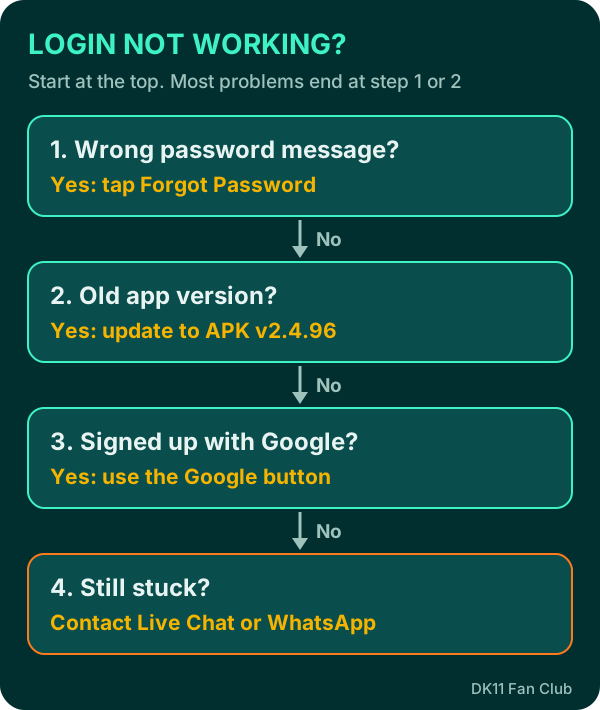
If the flowchart doesn’t solve it, read the fix that matches your situation below. Each one explains why it happens and what to do.
Fix 1: Check your number and its format
Why it happens: DK11 accounts are tied to a Pakistani mobile number, and the sign-up form uses the +92 country code. Typing an extra 0, a space, or a different SIM number means DK11 can’t find your account.
What to do:
- Enter the exact number you registered with, the one on the SIM you own.
- Check you haven’t typed the leading 0 twice after +92.
- If you have two SIMs, try the other one. Many players register with one and forget.
Fix 2: Reset your password the right way
Why it happens: a wrong password is the most common login error. It’s easy to mix up a DK11 password with one you use on other apps.
What to do:
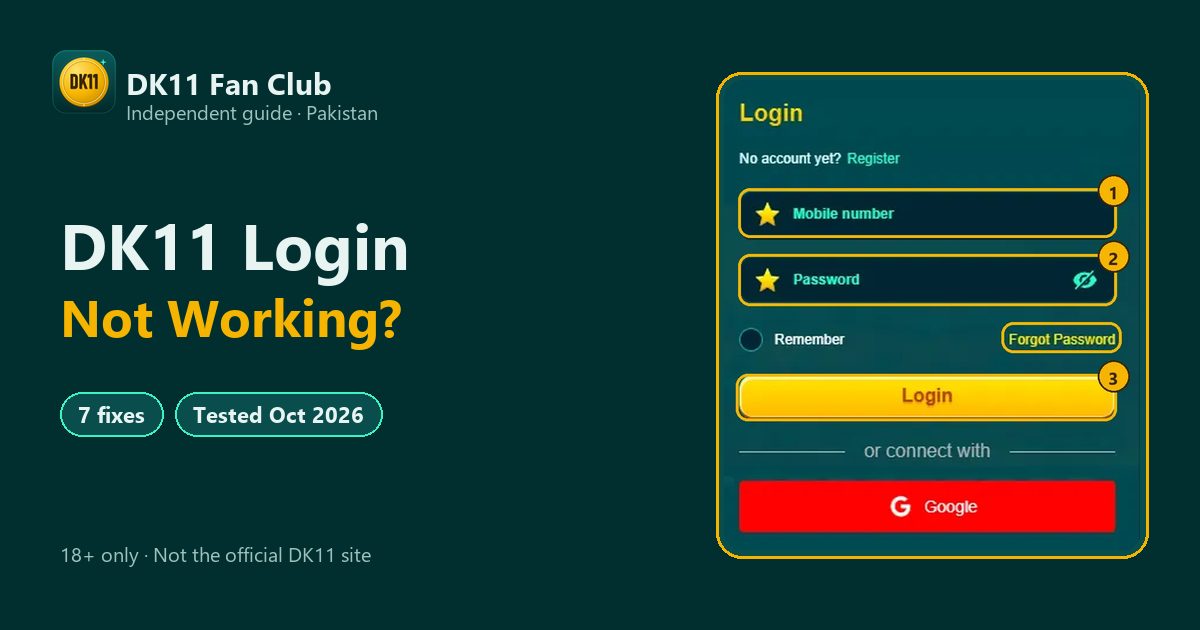
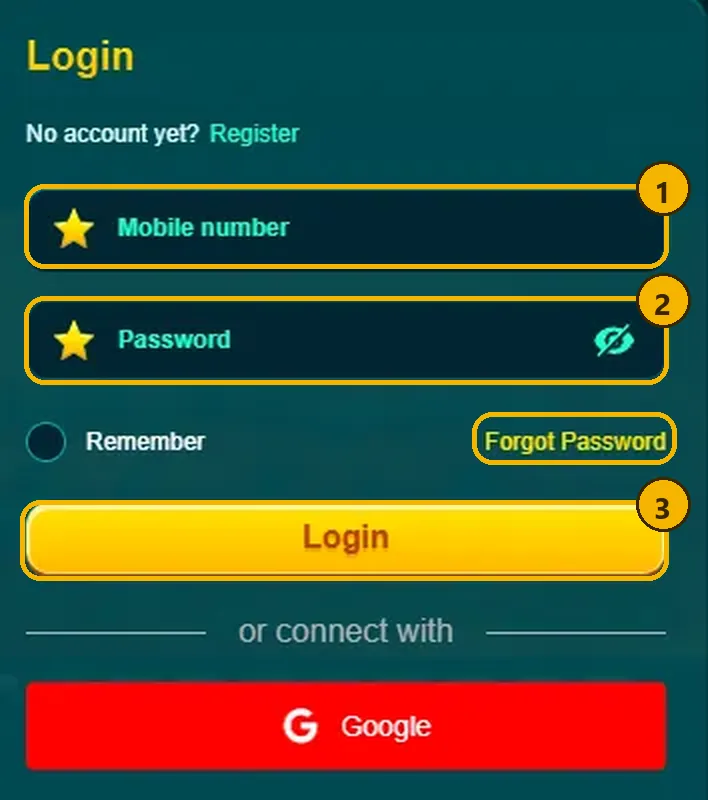
- Tap Forgot Password on the login screen. It sits to the right, under the password box.
- Follow the steps DK11 shows for your registered number.
- Choose a new password you don’t use anywhere else, and log in once before closing the app.
If the reset doesn’t arrive or doesn’t work, go to support (see below). Never share your password with anyone, including people who say they are support.
Fix 3: Use the same sign-in method you signed up with
Why it happens: DK11 offers two ways in, number plus password or the red Google button. If you created your account with Google, there may be no password to type.
What to do:
- Signed up with Google? Tap Google and pick the same Google account.
- Signed up with a number? Use the number and password, not the Google button.
- Not sure? Try Google first, then your number. Don’t create a new account to “test”, because a second account can get both frozen (see Fix 6).
Fix 4: Update an old app, or replace a fake one
Why it happens: older versions can stop working after an update, and fake APKs shared in groups may never connect to the real DK11 at all.
What to do:
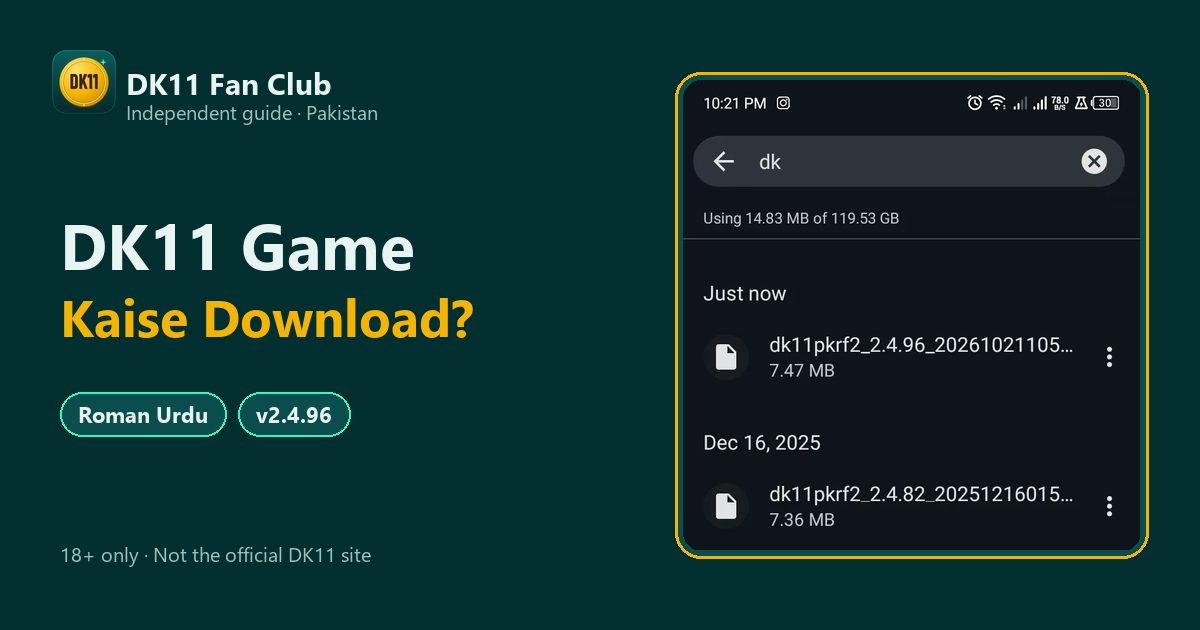
- Check your version. The latest we checked is v2.4.96 (7.47 MB, 21 Oct 2026).
- The real file name starts with dk11pkrf2, the platform code DK11 runs on (for example
dk11pkrf2_2.4.96). Anything else is a warning sign. - Download the current file from the official link in our DK11 APK download guide and install it over the old one.
A fake app that asks for your password is the most dangerous case. If you typed your details into one, change your password straight away from the real app or website.
Fix 5: Log in on the website instead
Why it happens: sometimes the app has a temporary problem while the website still works, or the reverse.
What to do:
- Open a browser and go to www.dk11vip.com. On 26 Oct 2026, dk11.com redirected there.
- Log in with the same number and password, or the Google button. Your balance and account are the same in both places.
- If the website works but the app doesn’t, update or reinstall the app (Fix 4).
Fix 6: Your account may be frozen
Why it happens: DK11’s bonus terms allow only one account and one offer per person, IP address, email, phone number and payment method. Accounts that break this rule, or that are suspected of bonus abuse, can be frozen. DK11 can also ask for ID documents during a dispute.
What to do:
- Don’t keep creating new accounts; that makes it worse.
- Contact support from the website, explain clearly and keep your answers consistent.
- Be ready to show official ID if asked. This is why we always tell players to register with their real details.
Shared phones or Wi-Fi in one household may look like “the same person” to these rules. If several family members play, ask support before anyone signs up.
Fix 7: Check your connection (general advice)
Why it happens: this isn’t DK11-specific, but a weak signal, blocked data or a VPN can stop any app from logging in.
What to do:
- Switch between Wi-Fi and mobile data, then try again.
- Turn off any VPN or data-saving app for a moment.
- Restart the phone if the app is stuck on a loading screen.
When to contact support and what to send
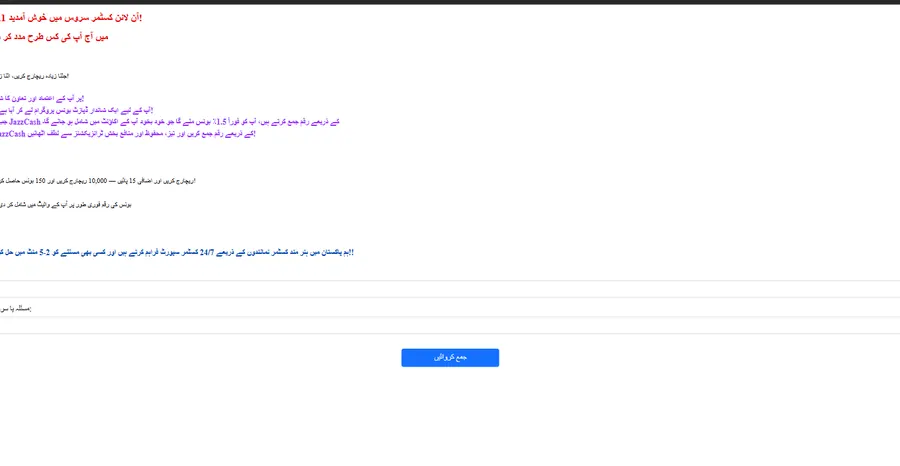
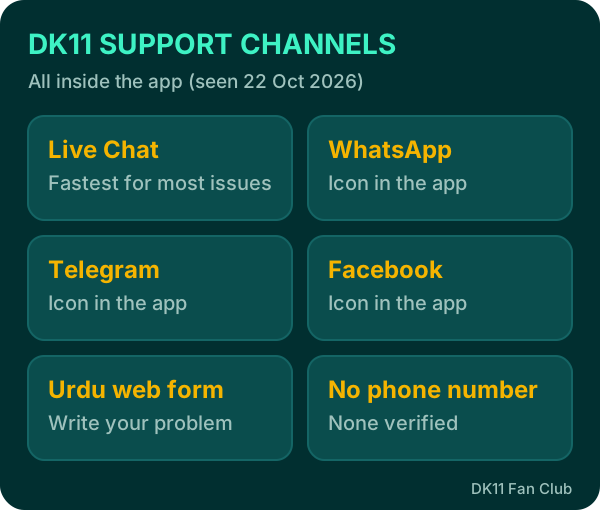
If none of the seven fixes work, contact DK11 support from inside the app or on the website: Live Chat, WhatsApp, Telegram, Facebook or the Urdu web form. DK11 states that support runs 24/7. We haven’t verified any public phone number, so be careful with numbers shared in groups.
| Send this | Why it helps |
|---|---|
| Registered mobile number | Finds your account |
| Screenshot of the error | Shows the exact problem |
| App version (e.g. v2.4.96) | Rules out old apps |
| How you signed up (number or Google) | Points to the right fix |
Never send your password, OTP or wallet PIN. Real support doesn’t need them. Our DK11 customer care guide lists every channel.
Login habits that protect your rewards
Some DK11 rewards depend on logging in at the right time, so a login problem can cost you more than one session. Fixing access quickly matters for these:
- Daily check-in streak: missing a single day resets the 7-day streak to Day 1.
- Red Packet Rain: you must be logged in during a wave (there are 12 a day) and tap the envelope, or you wait for the next one.
- Email OTP for events: some event spins need a one-time email verification before your first spin, so link and verify your email early.
- Linked phone: some rewards, like the Rs 38 app gift, need a linked phone number.
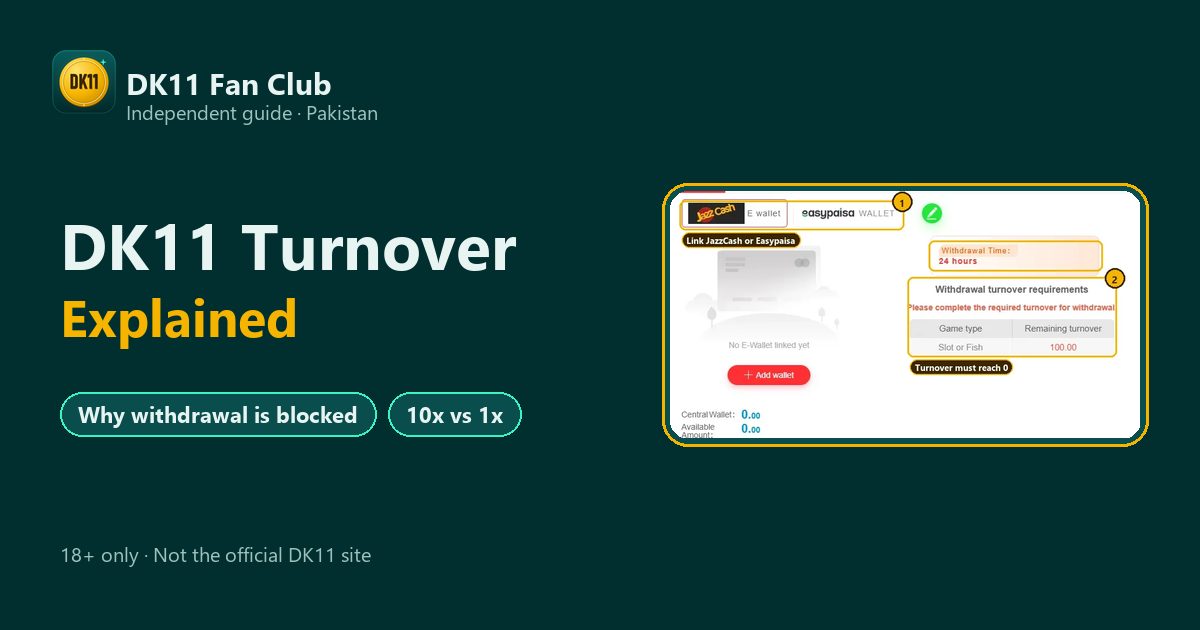
Once you can withdraw, make sure your money isn’t held back by turnover. Our post on DK11 turnover explained covers that next step.
Login nahi ho raha?
- Pehle number (+92) aur password check karein, phir Forgot Password use karein.
- Google se account banaya tha to Google button dabayein.
- Phir bhi masla ho to website www.dk11vip.com try karein ya support se baat karein.
FAQ
Why does DK11 say my password is wrong?
You may be using an old password or the wrong number. Tap Forgot Password and reset it for your registered number.
Can I log in to DK11 without the app?
Yes. Use the website www.dk11vip.com with the same number and password, or the Google button.
Why was my DK11 account frozen?
DK11 allows one account per person, IP, device, phone and payment method. Contact support and be ready to show ID.
DK11 app open nahi ho raha, kya karein?
Latest APK v2.4.96 install karein ya website www.dk11vip.com par login karein.
DK11 ka password bhool gaya, ab kya karein?
Login screen par Forgot Password dabayein aur apne registered number ke liye naya password banayein.