DK11 guide · checked in the app
DK11 APK Download: Latest Version 2.4.96 and Safe Install Steps
The latest DK11 APK is version 2.4.96 (7.47 MB, released 21 Oct 2026). Tap Download, allow your browser to install apps “from this source”, then tap Install. We tested this exact version on Android 12.
DK11 APK at a glance
| Latest version | 2.4.96 |
| File size | 7.47 MB |
| Released | 21 Oct 2026 |
| File name starts with | dk11pkrf2_2.4.96 |
| Tested on | Android 12 |
| Also available as | Website: www.dk11vip.com |
| Age | 18+ |
DK11 version history
We have downloaded every DK11 version since December 2025 and record each one here.
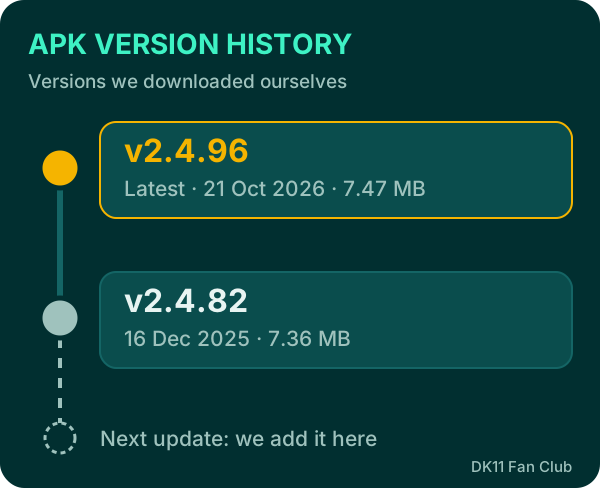
Version 2.4.82 arrived on 16 Dec 2025 at 7.36 MB. Version 2.4.96 followed on 21 Oct 2026 at 7.47 MB, only 0.11 MB bigger, so the update is quick even on mobile data.
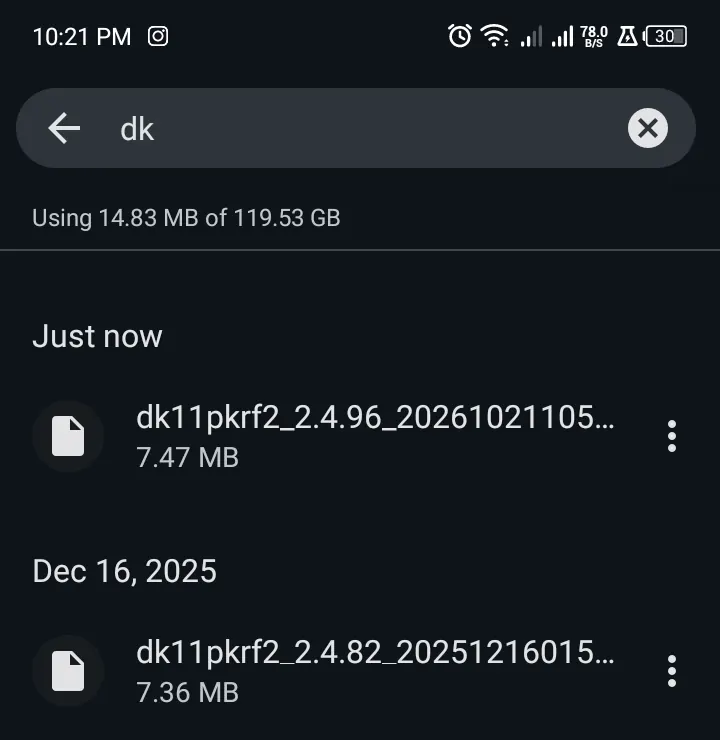
The version number is part of the file name, so you can tell which version you have before installing. We update this page within days of each new release.
How to install the DK11 APK on Android
DK11 isn’t on the Google Play Store, so Android asks for permission once. Use a stable connection: a half-finished download causes the error “There was a problem parsing the package”.
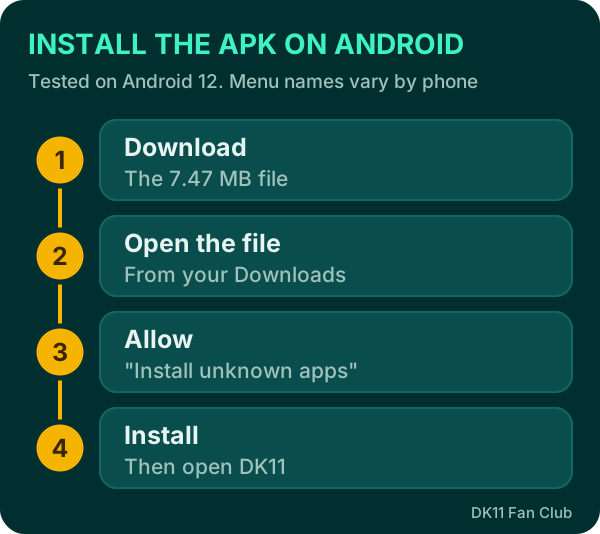
- Tap Download on this page.
- Open the file from the notification or your Downloads folder. It starts with
dk11pkrf2_2.4.96. - Allow this source. When Android says it can’t install unknown apps, tap Settings, turn on Allow from this source, and go back.
- Tap Install, then Open.
You can turn the permission off again later: Settings → Apps → Special app access → Install unknown apps → your browser.
Next step: register your DK11 account, or log in after installing if you already have one.
App or website: which should you use?
You don’t have to install anything to play DK11: the website www.dk11vip.com uses the same account as the app. Typing dk11.com also takes you there.
| App (APK) | Website | |
|---|---|---|
| Devices | Android only | Android, iPhone, laptop |
| Setup | Download and install 7.47 MB | Open in any browser |
| Updates | Install each new APK | Always current |
| Best for | Daily play, quick login | iPhone, shared devices, trying DK11 first |
Use the website if your phone is short on storage or your Android version blocks the install. Use the app if you play often, since it opens faster and keeps you signed in.
The Rs 38 app gift: who can claim it
DK11 gives Rs 38 to players who download the app and follow its official channel, but not everyone qualifies. The rules on the promotion page (26 Oct 2026) say:
- You need a past deposit of Rs 200 or more on your account.
- Your account must have a linked phone number.
- Download the app and follow DK11’s official WhatsApp or Telegram channel.
- Claim the Rs 38 from the Welcome Gift Card in the app.
- 1x turnover applies before you can withdraw it.
So a brand-new account with no deposit can’t claim the gift yet. See every other offer on our DK11 bonus page.
First things to do after installing
Spend two minutes on setup before your first deposit. It makes recovery easier and unlocks some rewards.
- Log in or register with your +92 number. → Register guide
- Link your phone number in your account if the app asks. The Rs 38 gift needs it, and so does account recovery.
- Open the Reward Center and start the daily check-in. The streak resets if you miss a day.
- Add your withdrawal wallet early (JazzCash or Easypaisa), so payouts aren’t delayed later.
“Blocked by Play Protect”: what it means
Android’s Google Play Protect scans apps from outside the Play Store and may show “App blocked to protect your device”. Google explains it on its Play Protect help page.
- Install only a file you got from the official DK11 link.
- Check that it is version 2.4.96 at about 7.47 MB.
- Unsure? Upload it to VirusTotal, a free multi-antivirus scan, or don’t install it.
How to spot a fake DK11 APK
The real APK’s file name starts with dk11pkrf2, which is DK11’s code on the TCG gaming platform. The same code appears on the DK11 website itself, so a file with a different name or a very different size is a warning sign.
Fake and modded “unlimited money” DK11 APKs can steal your login and wallet details. Avoid any APK that:
- comes from a random WhatsApp, Telegram or Facebook link;
- promises free coins, hacks or guaranteed wins;
- asks for SMS, contacts or accessibility permissions right after install;
- has a different file name or a very different size.
Storage and permissions
The file is small (7.47 MB), but leave some extra free space, because the installed app and its game data take more room than the download. If the install fails with a storage message, clear old downloads or unused apps first.
After installing, delete the APK file from your Downloads folder. It saves space and stops you accidentally reinstalling an old version later.
DK11 doesn’t need access to your SMS, contacts or accessibility settings to run games. If an app asks for these, deny them and check you have the real file.
How to update DK11
An old APK can stop working after DK11 updates, for example by refusing to log in. Old files shared online are also a common way fake apps spread, so always use the latest version.
- Download the latest APK here and tap Install over the old app.
- If Android says “App not installed”, uninstall the old app first, then install the new one. Keep your number and password ready.
- Can’t update right away? Log in on the website in the meantime. Your balance is the same.
Login trouble after updating? See our DK11 login fixes.
DK11 for iPhone or PC
We have only tested the Android APK and haven’t verified an official iPhone or PC app. On those devices, open www.dk11vip.com in your browser. Avoid any site offering a “DK11 iOS download”: it isn’t from DK11 as far as we can confirm.
What’s inside the app
The app holds the full DK11 library: about 8,200 slots, fish games, live casino and 9 sportsbooks with cricket. See all games inside the app.
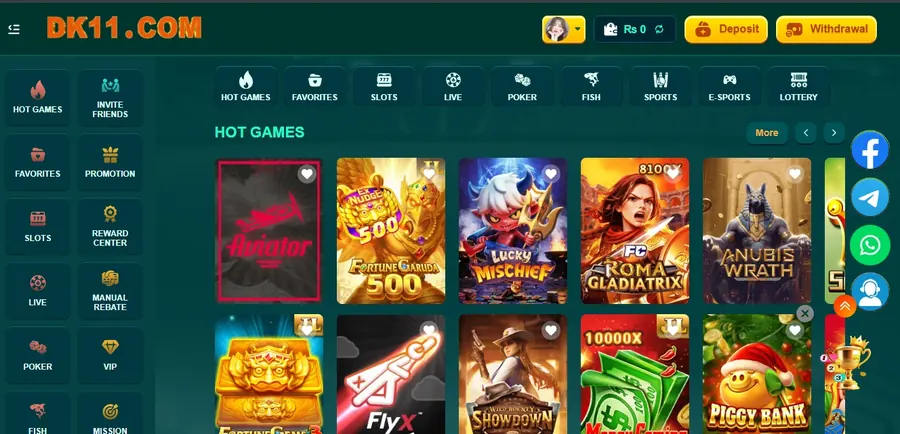
The Deposit and Withdrawal buttons sit at the top of every screen, and the menu tiles lead to Promotions, Reward Center, VIP and Invite Friends. 18+ only: DK11 uses real money, and you can lose it.
Can’t install? Contact support with your phone model and Android version.
Asli file ka naam “dk11pkrf2” se shuru hota hai. Koi aur naam ho to install na karein. Install nahi ho raha? Website www.dk11vip.com par usi account se khelein. Rs 38 app gift ke liye pehle Rs 200 deposit aur phone number link hona zaroori hai.
DK11 APK download FAQ
Why isn’t DK11 on the Google Play Store?
It’s offered as a direct APK download. That’s why Android asks for permission and Play Protect may show a warning.
Will updating delete my account or balance?
No. Your account lives on DK11’s servers, and the website shows the same balance.
Can I play DK11 without installing the APK?
Yes. Use www.dk11vip.com in your browser with the same account.
Is there a DK11 app for iPhone?
We haven’t verified one. On iPhone, use the website.
DK11 app kaise download karein?
“Download” dabayein, file kholein, “Allow from this source” on karein aur “Install” dabayein.
Purana version chal nahi raha, kya karein?
Latest APK install karein. “App not installed” aaye to pehle purani app uninstall karein.